
Line 45 Service Cuts: Options & Alternatives
In August, TriMet reduced service on Line 45, and eliminated service between Washington Square TC and Tigard TC on 121st Ave. and Walnut St.
Bike & Scoot
Getting to a Transit Center, or your destination
We're partnering with Transit App to help you plan your route. Transit can map out plans for journeys using all the transit providers in our area, and help you plan walking and biking routes on both ends of your transit trip. Try it yourself on the web, and download the app for live guidance along your journey.
Need some extra help? Request a Trip Plan and one of our team members will draft a route for you that meets your needs and comfort level.


Secure storage at Transit Centers
If you don't need your bike or scooter (or other micromobility device) on both ends of your trip, you can forget the hassle of loading a bike on transit by using one of the many convenient, secure bike storage options that TriMet provides.

BikeLink at Tigard TC
If you're riding to Tigard TC, there are twelve BikeLink lockers available. These can be accessed using the BikeLink app, or with a physical BikeLink card. Using these lockers only cost cents an hour.
Keep a “station bike” at a Bike & Ride
With secure parking at a Bike & Ride or in an electronic bike locker, you can park your bike overnight, then take a bus or train to the transit center and finish your commute by bike. You get the fun and exercise of biking to work or school, without the hassle of hauling it back and forth on MAX every day.

Bikes on TriMet
If you need your bike or scooter on both ends of your journey, you might need to bring it along with you on your transit trip.
Loading your bike on the Bus
Every TriMet bus is equipped with a bike rack on the front that can hold two bikes. Bikes are not allowed inside buses unless they can collapse to the size of a standard piece of luggage. If you do bring a folding bike on board, make sure it doesn't block the aisle.

Make sure the bus stops completely and the driver acknowledges you before you step in front of the bus. Never approach a stopped bus from the street side, as you cannot safely determine when a driver is about to leave a stop.
Squeeze the handle on the top of the rack and lower it. Place your bike in the rack and place the bar over your front wheel (as close to the frame as possible).
Remove any loose items or valuables from your bike, including panniers, then board the bus and pay your fare.
Bringing your bike on MAX
Bikes are allowed on MAX only if there is room in the designated bike spaces and if the train is not too crowded to board safely without blocking the doors.
As MAX approaches, check to see if there’s room

Stand with your bike near the middle of the boarding platform. As MAX approaches, look at both cars of the train to see if there’s room inside. If it’s too crowded to board safely, you’ll need to wait for the next train.
Board through a door with the bike symbol
Wait for other riders to exit and enter the train before you get on. Board only through one of the doors displaying the bike symbol.
Place your bike in one of the designated areas
Your bike must be stored in one of the designated areas marked with a bike symbol, located inside the front and rear doors of each MAX car.
Bringing your bike on WES
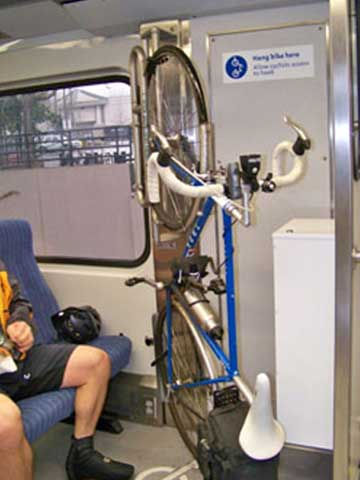
Each WES Commuter Rail car has room for up to six standard-size bikes on board. There are two bike racks, and room for up to four more bikes in the priority seating areas. You’re welcome to bring a folding bike on board, as long as it doesn’t block the aisle.
Using the rack
Just roll your bike inside and place it in one of the vertical racks near the doors. The rack will automatically secure the front wheel in place. There is a strap for the back wheel for added security.

Using the priority seating area
There are two priority seating areas on each WES car for seniors and people with disabilities. If both bike racks are full, you may use the straps provided to secure your bike in the priority seating area (unless it is occupied or needed by a senior citizen or a rider with a disability).
Please make sure that the straps are securely fastened and that your bike is not blocking the aisle. Two bikes can be stored in each priority seating area.
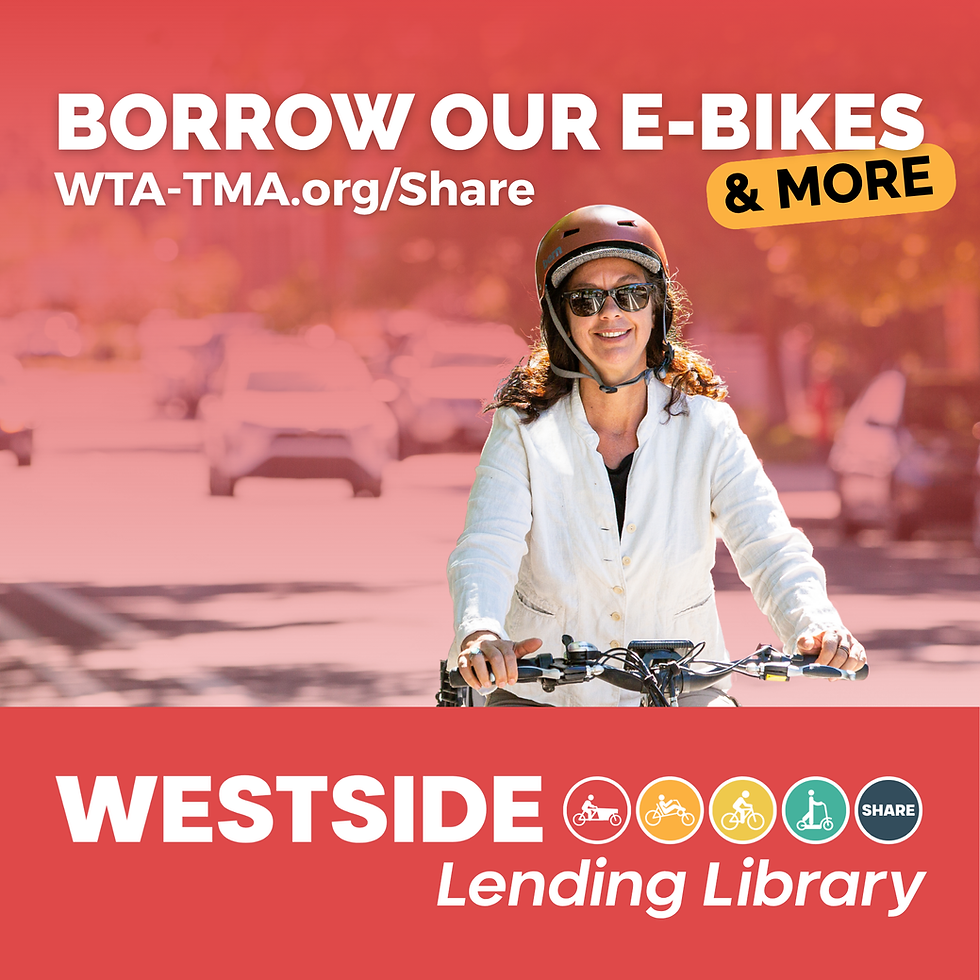
Westside Bike Share: Lending Library
Don't have a bike? We'll lend you one! Our Lending Library currently offers seven different kinds of electric micromobility devices. From kick-scooters to bakfiets, we have a ride for just about everyone, and every purpose.
All our rides come with just about everything you need to get started!
💡 Integrated front and rear lights
🔒 Heavy-duty lock
🔋 UL-tested batteries
👷 Optional helmet and reflective gear
Walk & Roll
Getting to a Transit Center, or your destination
We're partnering with Transit App to help you plan your route. Transit can map out plans for journeys using all the transit providers in our area, and help you plan walking and biking routes on both ends of your transit trip. Try it yourself on the web, and download the app for live guidance along your journey.
Need some extra help? Request a Trip Plan and one of our team members will draft a route for you that meets your abilities and comfort level.
Shared Rides

Carpool
If you happen to know a going your way with a similar schedule as you, Carpool can be a great option. GetThereConnect offers a carpool connection tool to get you matched up with drivers or riders with similar routes and destinations.
Getting started
Login, or create an account on GetThereOregon.org.
Once your account is set up, create a carpool listing on Get There Connect.
Consider setting your 'end' destination point to a nearby park & ride, and combine a carpool with transit for maximum flexibility.
View matching carpools
You can view existing pools that match your route on Get There Connect.


